Photography and Imagery · Step 3 · 5 min read
Library, shoot or generated
Three ways to get an image: license one from a library, commission a shoot, or generate one. What each costs, what each promises, where each goes wrong, and a simple way to choose.
Every image comes from somewhere, and where it comes from is part of what it says. A library photo is quick and shared with thousands of other sites. A shoot is slow and only yours. A generated image is instant and never happened. None is always right. The brief decides.
What you'll be able to do after reading:
- Compare library photos, shoots and generated images on cost, time, truth and risk
- Choose a source from the job in the brief
- Know where generated images are fine and where they mislead
- Spot the hidden costs of "free" images
1. Three sources, one subject
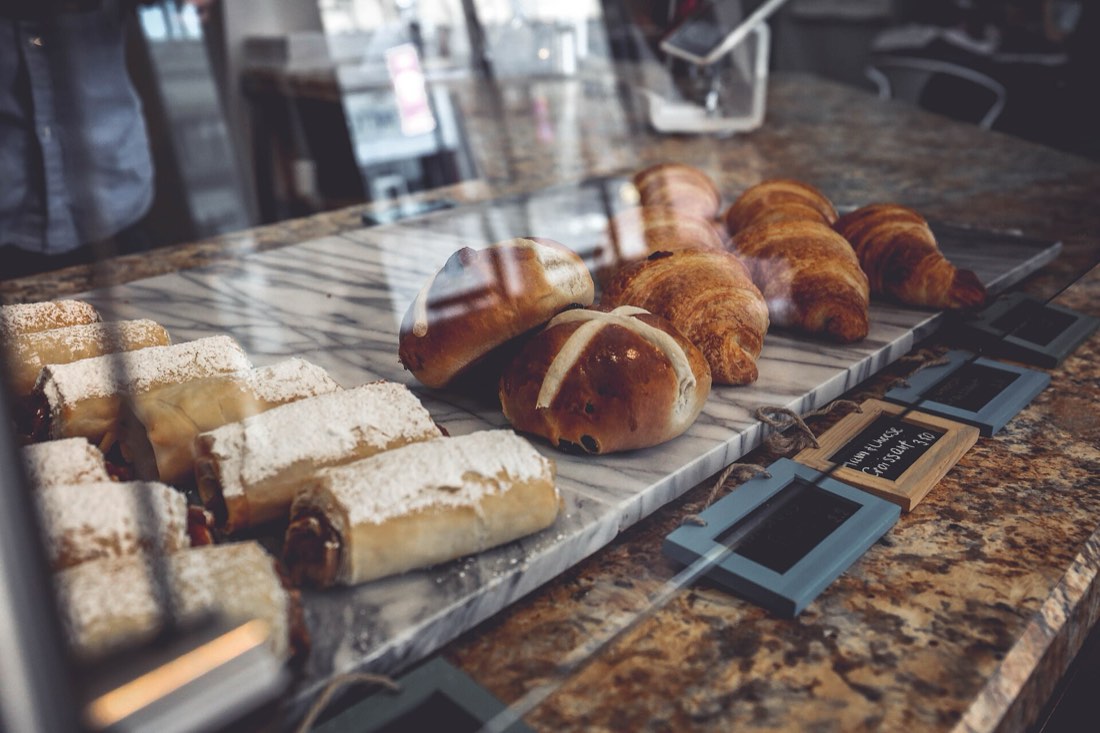 Library photo: quick, generic
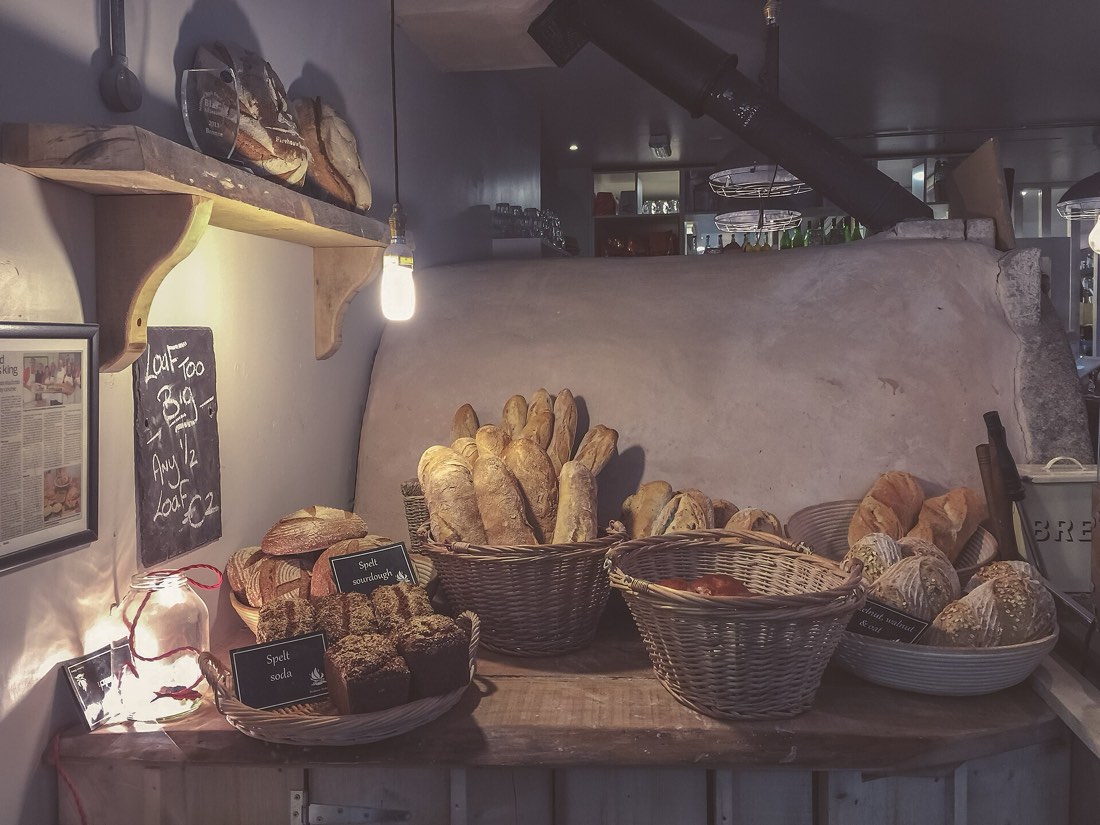 A real place: specific, true
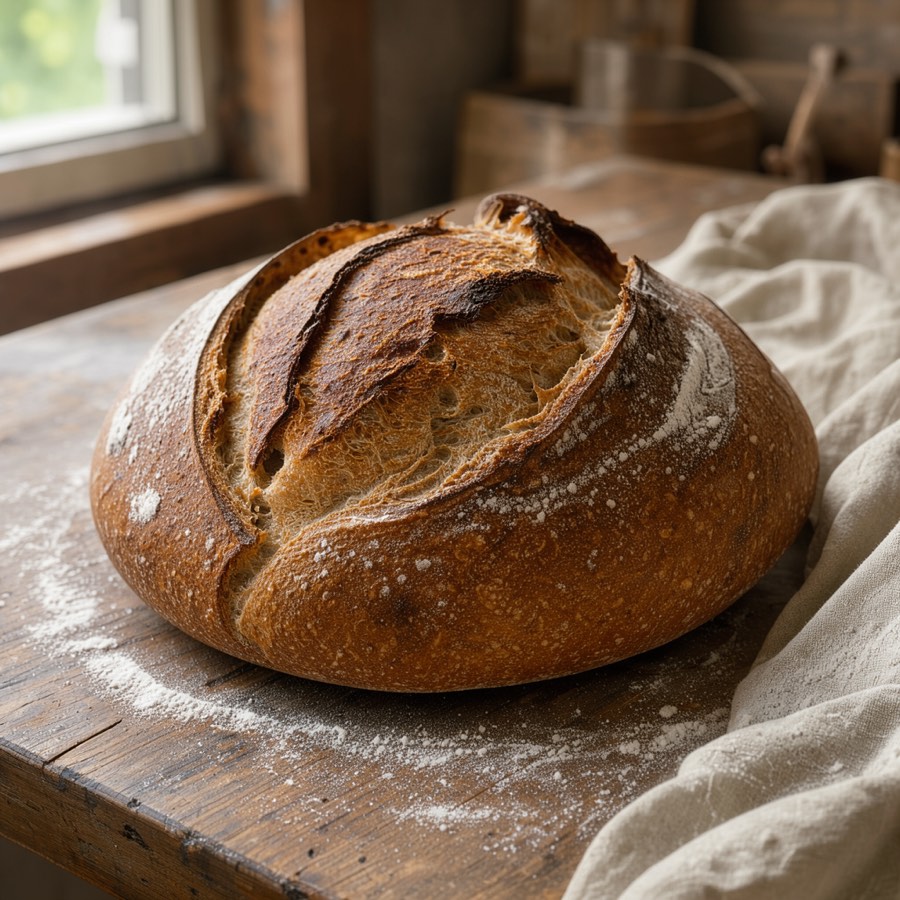 AI-generatedGenerated: looks real, isn't


The first is a library photo: a bakery counter that could be anywhere. The second is a real bakery: shelves, a chalkboard, a bulb, things that belong to one place. The third was generated for this course on a laptop, in about a minute and a half. It looks like a photo of a real loaf. There is no loaf.
2. What each one costs, and promises
| Library (stock) | Shoot (commissioned) | Generated | |
|---|---|---|---|
| Time | Minutes | Days to weeks | Minutes |
| Money | Free to moderate, per image | The most: photographer, location, people, editing | Low per image; the tool's plan |
| Specific to you | No: others use the same photo | Yes | Looks specific, but isn't real |
| True | Real, but not of you | Real, and of you | Not real |
| Main risk | Generic; licence terms; no model release | Cost; a bad brief wastes the day | Misleading people; bias; unclear rights; a label is needed |
The last column is the one people skip. A generated image can't show your product, your team or your shop, because it never saw them. It can only show something that looks like them.
3. Choosing from the job
Go back to the five jobs from What an image does in a product:
- Show the thing (your product): a shoot, or your own careful photos. Anything else shows a different thing.
- Show how (a step): a shoot or a screenshot; an illustration if a photo can't show it clearly.
- Show who (your people): a shoot, with consent. Never a library face, never a generated one.
- Orient (a place, a category): a library photo is often fine.
- Set the mood: a library photo or a generated image can work, as long as nobody would read it as proof of anything.
That leaves generated images a clear, honest place: mood, concepts, backgrounds, early prototypes. Step 4 goes deeper into why that line matters, and the AI for UX track covers the tools: AI for visual design: images and video, Generate images locally and Copyright and AI-generated assets.
4. The hidden costs of "free"
- Licence work. Free libraries have their own terms, and they're not all the same. Licences without fear goes through them.
- No model release. Free libraries usually don't promise one, so faces are risky in anything commercial.
- Sameness. Free photos are used by thousands of sites. The more popular, the more familiar, the less people look (see The photos nobody looks at).
- Consistency. Photos from twenty photographers rarely look like one product. That's the next lesson.
5. Common mistakes
- Using a library photo where the real product, team or place is the point.
- Using a generated image as if it were a photo of something real.
- Choosing the source first and the job second.
- Counting only the price of the image, not the time spent finding, checking and fixing it.
6. Vocabulary
| Term | Meaning |
|---|---|
| Stock / library photo | A photo licensed from a library, made to fit many buyers |
| Commissioned shoot | Photos made for you, of your subject, usually yours to use |
| Generated image | An image made by an AI model from a prompt; it records nothing |
| Model release | Permission from a person to use photos of them |
7. Try it (no tools needed)
- Take the brief you wrote in the last lesson.
- For each line of its shot list, decide: library, shoot or generated? Write why in a few words.
- Mark any line where a generated image could be mistaken for proof.
Reflection questions: Which shots could only come from a shoot? What does that tell you about the budget the product needs?
8. If you already practise
- Write the source rule into your image guideline: "product and people: shoot only; mood: library or generated, labelled". It ends a lot of debates before they start.
- Keep a small, real shoot as the backbone of the product's imagery, and fill gaps from a library, in the same grade.
- If your team uses generators, record the tool, the date and the prompt with each image. It's the start of provenance, and Step 4 explains why it matters.
Checklist
Learn more
- Nightingale and Farid, AI-synthesized faces are indistinguishable from real faces and more trustworthy (PNAS, 2022)
- Riegelsberger et al., Shiny happy people building trust? (CHI, 2003)
Books, courses and videos to go deeper
- Art Direction Explained, At Last!Steven Heller and Véronique VienneBook · Laurence King, 2009 (Amazon)
- On PhotographySusan SontagBook · Picador, 2001 edition (Amazon)
Book links go to Amazon. As an Amazon Associate I earn from qualifying purchases, at no extra cost to you.
Related
The image brief and the shot list · One look for the whole product · Licences without fear · Photo, illustration or nothing